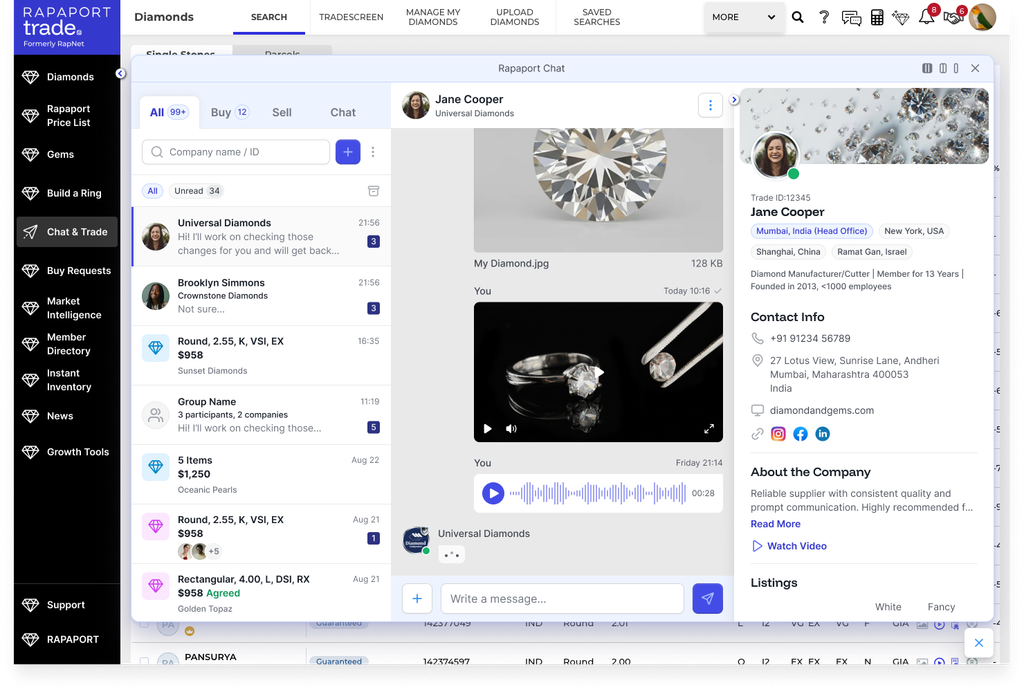
The Rapaport Trade feature used for negotiating, messaging, and closing a purchase or a sale. Send text messages, voice notes, files, and emoji reactions, make or counter offers on price per carat or percent of RAPI, review attached item details and member profiles, agree and sign, invoice, and mark the deal complete.
Negotiating in Chat & Trade Center
Chat & Trade Center is where a purchase or a sale is negotiated and closed on Rapaport Trade. Every offer, message, voice note, file, and agreement for a deal lives in one place, and it works across devices.
A buyer starts by searching for a diamond and contacting the seller. The buyer writes a message, records a voice note, makes an offer, and chooses a transaction type. Offers can be organized into groups, so several negotiations stay tidy in one view. A seller starts from an incoming offer, which shows the diamond requested, the buyer, their price, and their terms, ready to match or counter.
Either side counters by entering a price per carat, a percent of RAPI, or a total value. The status is color-coded, so it is always clear whose turn it is. A blue offer is awaiting your response. Once you respond, it turns orange while you await the other side. Payment, shipping, and transaction terms are set from the seller settings, and only the seller can change them, though a buyer can message or send a voice note to request a change.
A built-in chat with voice notes, file sharing, and a chronological activity log keep the whole negotiation in one place. When the other side accepts your price and terms, the status turns green. You agree and sign, the agreement is counter-signed, the seller sends an invoice, and the deal is marked complete.