
Planning a matched diamond set has always involved educated guesswork. How many stones fit around a size 8 finger? What is the total carat weight for a full eternity band in oval diamonds? What changes when you switch from a shared prong to a bezel setting? For most retail jewelers, answering those questions meant calling a supplier, sketching it out by hand, or waiting on a CAD file just to get a ballpark number.
Rapaport Trade is changing that with the launch of its Matched Diamond Set Calculator, a new free tool. Designed for retail jewelers and jewelry designers who work with matched sets, the calculator delivers instant estimates for stone count, total carat weight, and layout specs, without requiring a CAD drawing or a conversation with a vendor first.
What the Tool Does
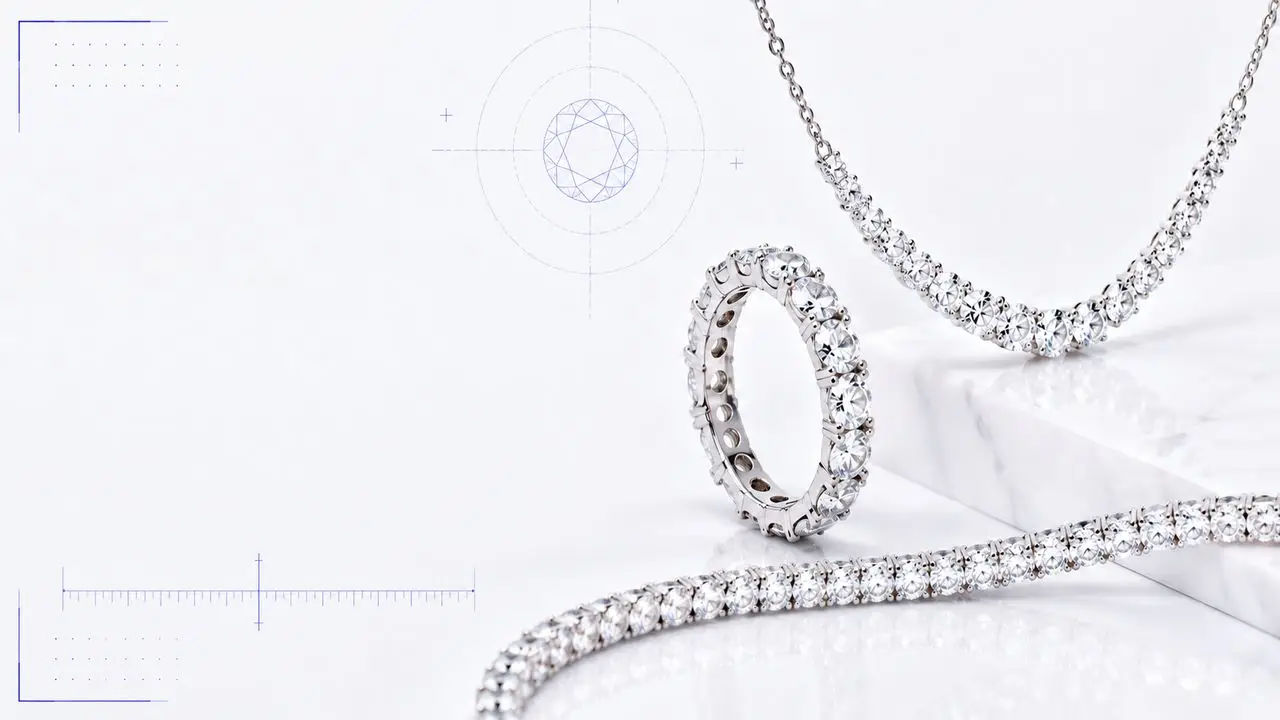
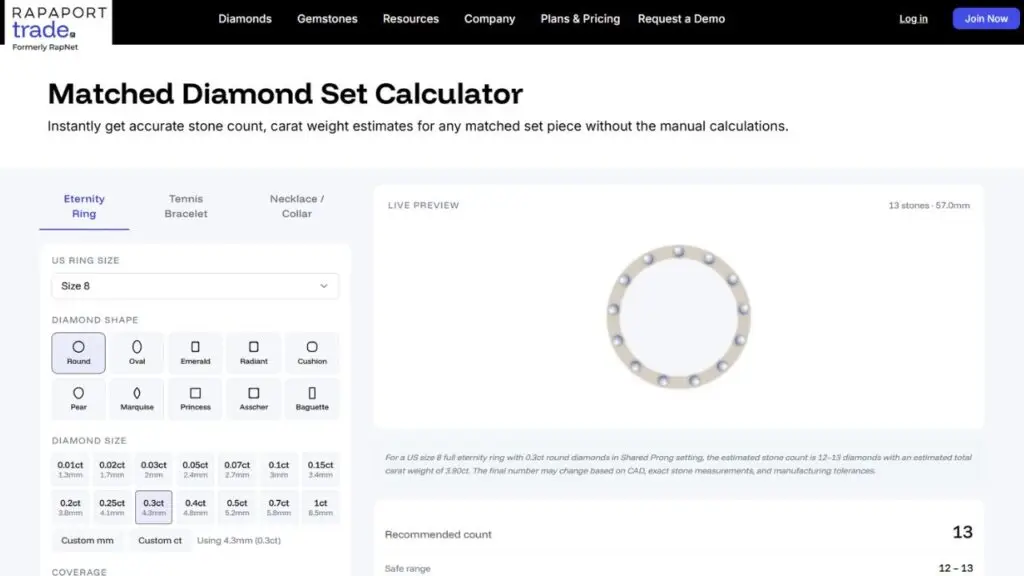
The Matched Diamond Set Calculator covers three jewelry formats: eternity rings, tennis bracelets, and necklaces. Users select their format, then work through a set of configuration options that mirror the decisions they would make in an actual production workflow.
For an eternity ring, the tool asks for ring size (in US sizing), diamond shape, stone dimensions, orientation, coverage, setting style, and spacing preference. For a tennis bracelet, the format shifts slightly: the user inputs bracelet length in inches and millimeters instead of ring size, then proceeds through the same shape, dimension, orientation, setting, and spacing options. The necklace tab adds a few options unique to longer pieces. Users first choose between a tennis necklace with a full front curve or a diamond necklace that sits tight to the neck, then select from standard lengths ranging from 13 inches up to 18 inches, or enter a custom value. Necklaces also introduce a diamond size mode not available on the other formats: uniform size, where every stone is the same, or graduated size, which tapers dimensions from center outward, as is common in classic necklace construction.
The shape library is the same across all three formats: round, oval, emerald, radiant, cushion, pear, marquise, princess, asscher, and baguette. Stone dimensions can be selected from common preset sizes tied to standard carat weights or entered manually using the override option for non-standard stones. Setting style choices cover the most common options, including shared prong, channel, bezel, and pave, and more, each with a noted offset that factors into the layout calculation.
Once configured, the tool returns a live preview showing the stone layout alongside a summary that includes recommended stone count, a safe order range, estimated total carat weight and TCW range, stone pitch, gap between stones, and the effective length used. All of this updates in real time as inputs change. A “Copy estimate” button at the bottom of the results panel lets users pull the full summary into a clipboard for easy sharing with clients, suppliers, or production teams.
Built for the Realities of Retail
The calculator is designed around how retail jewelers actually think about matched sets, not how manufacturers build them. A jeweler sourcing stones for a client’s eternity ring needs to know how many diamonds to order before they can price the piece or place a purchase. Getting that number wrong means either running short or over-ordering, both of which create problems.
The tool surfaces a “safe range” alongside its recommended count, acknowledging that stone dimensions and setting tolerances vary in the real world. Two contextual warnings appear where the math gets more complicated. For fancy shapes, the tool flags that carat weight alone is not enough and that final count depends on actual measured length, width, and orientation. For pave and bead settings, a separate notice reminds users that band width and number of rows affect the layout in ways a linear calculation cannot capture, labeling those results as directional estimates to use as a starting point only.
That kind of transparency makes the tool more useful in practice. It is not trying to replace the CAD step or the manufacturing conversation. It is trying to give jewelers an accurate working estimate before those conversations happen, so they can plan sourcing, quote clients, and make design decisions with better information in hand. It is also a handy tool to pull up with a customer in store, giving both the jeweler and the client a real-time visual and a concrete number to work from before anything goes to production.
Accessing the Tool
The Matched Diamond Set Calculator is currently available free to anyone on the Rapaport Trade website. Rapaport plans to integrate the tool directly into the Rapaport Trade platform, bringing it closer to the sourcing and trading workflows members use day to day.
Outputs should be treated as working estimates, and final stone counts confirmed through CAD before production orders are placed.
The Matched Diamond Set Calculator is available at rapaport.com/trade.